

Licences and distributors: choose your distributor, map a client and its licences, and turn on auto-buy (1:27).
General settings
Go to Settings > General, change a setting and click Save changes. Default Microsoft connection and Default PSA come from the Microsoft and PSA setups; clearing either stops the workflows that use it.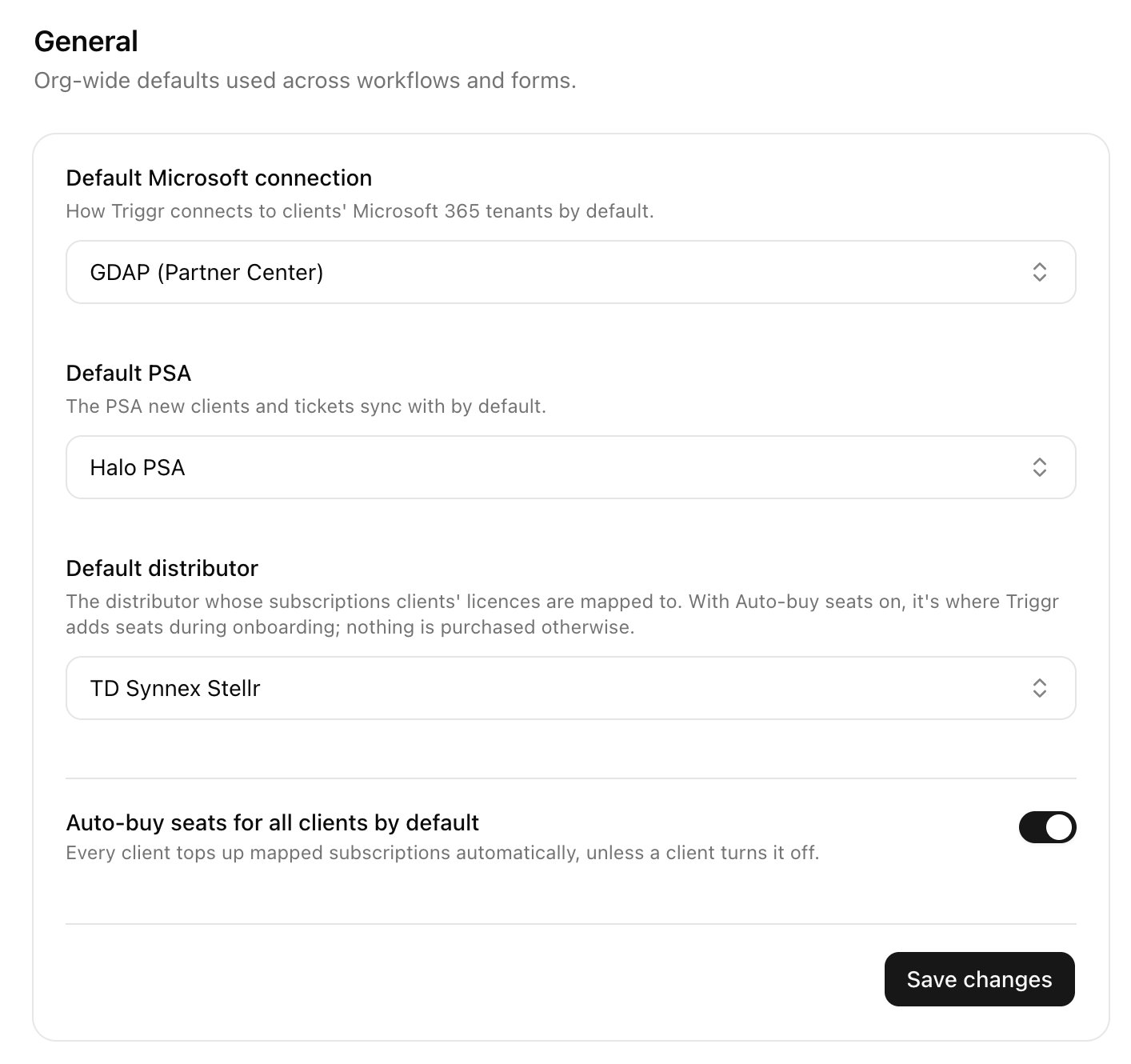
Buy seats automatically
1
Connect your distributor
In Integrations, set up Pax8, Sherweb or TD SYNNEX StreamOne Stellr, then choose it as Default distributor in Settings > General.
2
Link each client
Open the client on Clients and click Map next to your distributor under Integrations.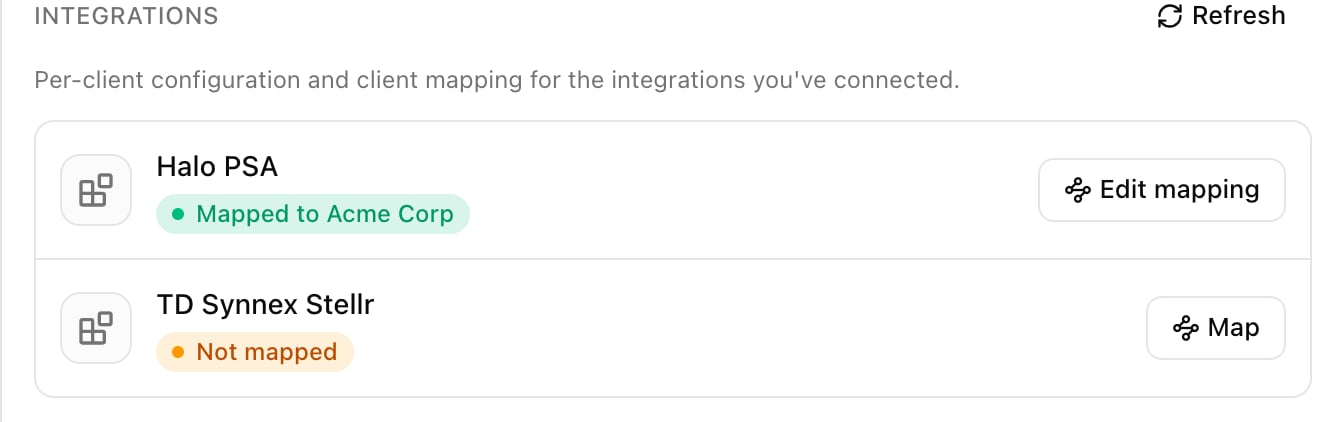
3
Pick its customer record
Core suggests the closest name. Click Save mapping. For many clients at once, use the Client mapping card on the distributor’s integration page.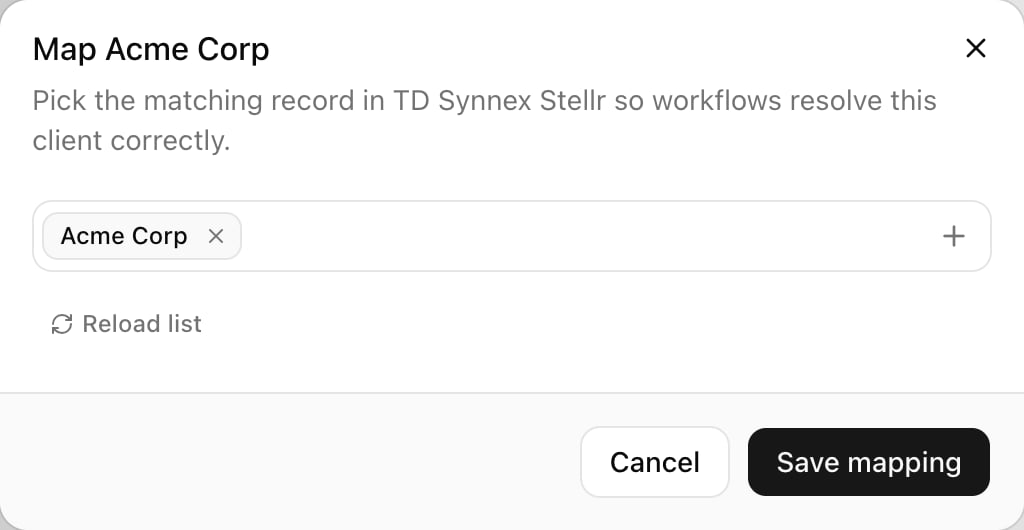
4
Map licences and turn on auto-buy
Close the panel and open the client again, so Distributor licenses loads its subscriptions. Check the subscription Core picked for each licence, set Auto-buy seats and click Save changes. Not mapped — won’t auto-buy means pick a subscription; Client not linked means do the previous step.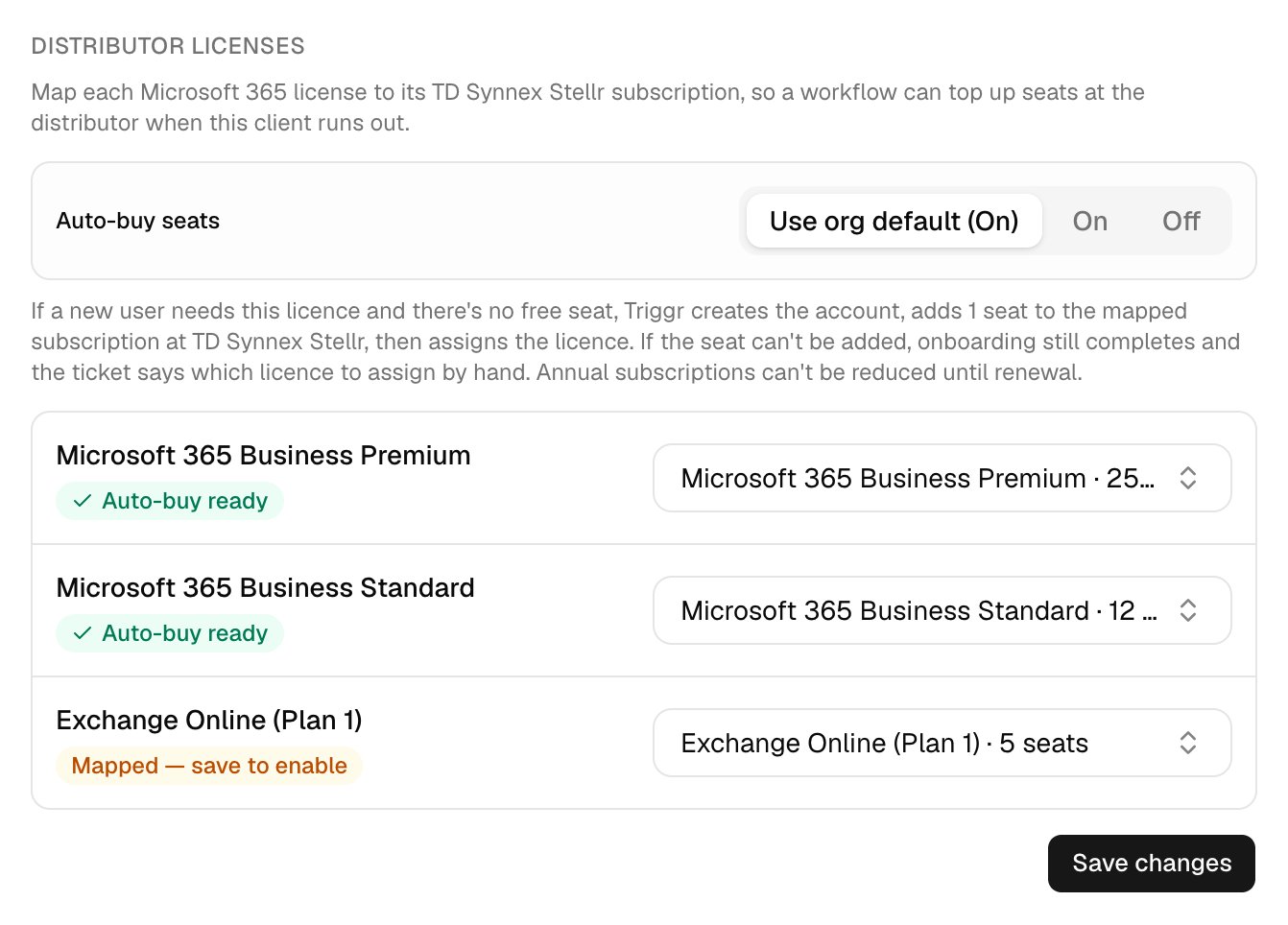
Troubleshooting
“… has no available licences (0 of N seats free)” with auto-buy on
“… has no available licences (0 of N seats free)” with auto-buy on
Check the licence shows Auto-buy ready and Auto-buy seats is On (or Use org default (On)), then submit again.
“Bought 1 seat of … but Microsoft hadn't shown it as free within 10 minutes”
“Bought 1 seat of … but Microsoft hadn't shown it as free within 10 minutes”
Assign the licence once the seat appears.
“Couldn't add a seat of … at …”
“Couldn't add a seat of … at …”
Fix the reason given, then assign the licence by hand once a seat is free.
“A seat request for … may have gone through”
“A seat request for … may have gone through”
Check the subscription in your distributor’s portal before buying another seat.
Turning on Auto-buy seats for all clients by default asks “Turn on Auto-buy seats for every client?”
Turning on Auto-buy seats for all clients by default asks “Turn on Auto-buy seats for every client?”
Any client without its own setting may then have a seat added on its next onboarding. Set Auto-buy seats to Off on clients you want to exclude.