

The workflow catalogue: finding a workflow on Config, what Active and Partial mean, and opening one to set it up (0:57).
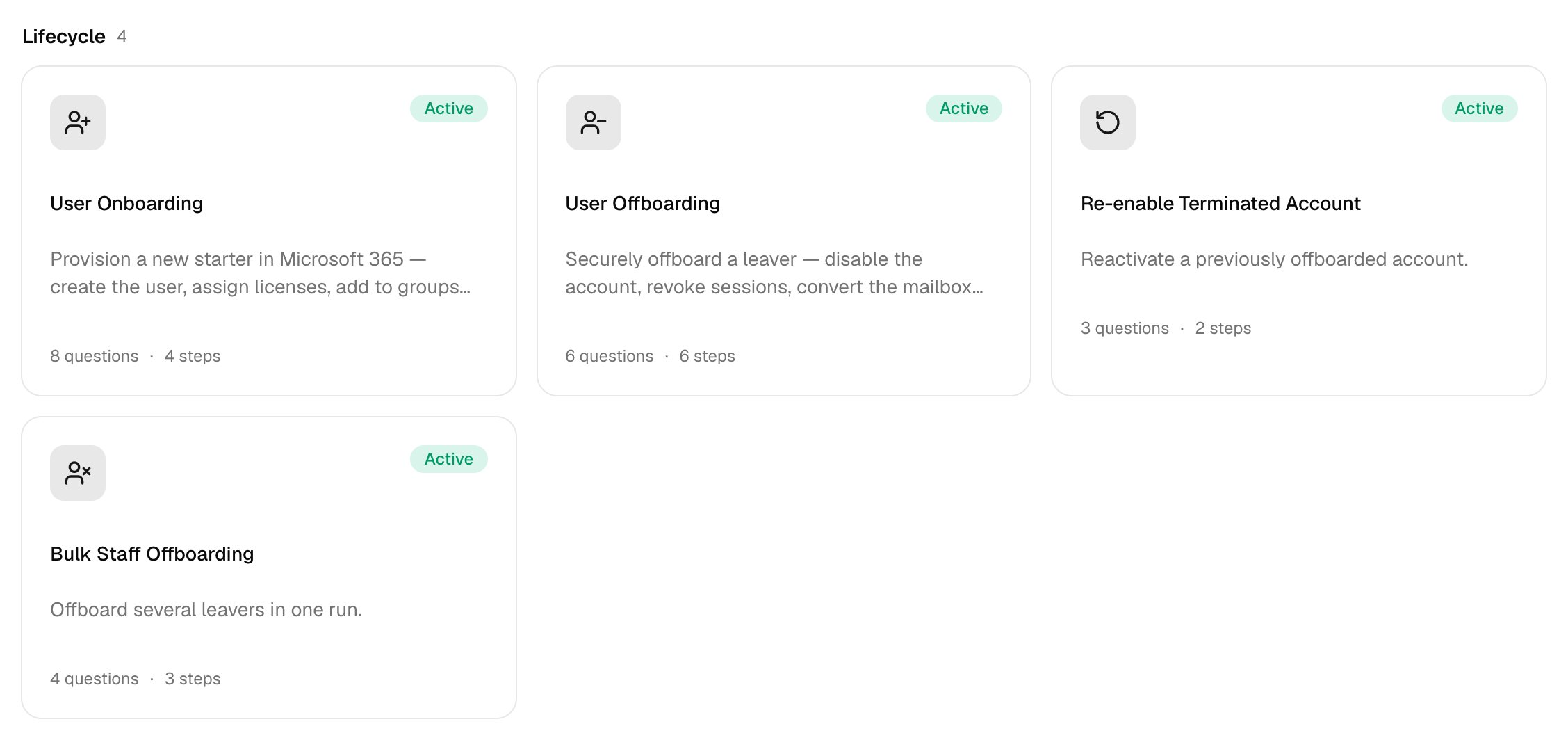
Lifecycle
| Workflow | What it does | The form asks for |
|---|---|---|
| User Onboarding | Creates a new starter’s account with licences, groups and shared mailboxes (set it up). | First name, Last name, Work email (UPN), Start date, plus any optional questions you turn on |
| User Offboarding | Disables or deletes a leaver’s account, hands over their mailbox and cleans up, as set on the Offboarding card. | User to offboard, When should the user be offboarded?, plus handover questions your policy asks |
| Re-enable Terminated Account | Lets an offboarded user sign in again. | Convert the shared mailbox back to a user mailbox? |
| Bulk Staff Offboarding | Disables several leavers and signs them out everywhere. | Leavers, Last working day, Convert mailboxes to shared? |
Accounts & Access
| Workflow | What it does | The form asks for |
|---|---|---|
| Password Reset | Sets a temporary password and can email it to an address or the user’s manager. | Require a change at next sign-in?, Send the new password to |
| Account Unlock | Re-enables sign-in for a blocked account. | User |
| License Management | Assigns or removes licences. | Licenses to assign, Licenses to remove |
| O365 License Assignment Report | Lookup: who holds which licences. Export CSV downloads it. | — |
| IT Help Request | Logs an IT request, as a PSA ticket if Ticketing is on. | Your name, Category, Priority, Describe the issue |
| Change User Details | Updates the details you fill in; blank fields stay as they are. | Job title, Department, Mobile phone |
| Bulk Update User Details | Sets one detail for several users. | Field to update (department, job title or office), New value |
| Get User Account Details | Lookup: profile, licences and groups. | User |
| Re-allocate User License | Moves a licence between users. | Remove licence from, Assign licence to, Licence |
| Reset Multi-factor Authentication | Removes the user’s MFA methods so they register again. | Sign them out everywhere now? |
Mailboxes
| Workflow | What it does | The form asks for |
|---|---|---|
| Out of Office Setup | Sets automatic replies, scheduled if you fill in Start and End. | Reply to people inside the organisation, Reply to external senders, Start, End |
| Mail Forwarding | Forwards a mailbox’s incoming mail to another address, inside or outside the client. | Forward to, Keep a copy in the original mailbox? |
| Mailbox Delegation | Gives one or more people access to mailboxes. | Mailboxes, Delegate to, Access level (full access, send as or send on behalf), Auto-map in Outlook? |
| Remove Mailbox Delegation | Removes that access. | Mailboxes, Delegates, Access level |
| Calendar Permissions | Shares a calendar, or changes an existing permission. | Calendar owner, Share with, Permission level (reviewer, editor or delegate) |
| Create Shared Mailbox | Creates a shared mailbox; add people with Shared Mailbox Access. | Display name, Email address |
| Shared Mailbox Access | Adds or removes full access or send-as rights. | Shared mailbox, User, Action, Access level |
| Create Mail Contact | Adds an external contact. | Display name, External email address, Alias |
| Delete Mail Contact | Removes an external contact. | Contact email address |
| Get Mailbox Information | Lookup: size, forwarding, address-list visibility and permissions. | Mailbox |
| Grant Mailbox Permission in Bulk | Gives several users access to one mailbox. | Mailbox, Users to grant, Access level |
| Hide Mailbox from Global Address List | Hides or unhides a mailbox. | Hide from the address list? |
| Blacklist Email | Blocks a sender or domain organisation-wide. | Email address or domain |
Groups
| Workflow | What it does | The form asks for |
|---|---|---|
| Create Group | Creates a Microsoft 365, security or distribution group; add members with Group Membership. | Group name, Group type, Description |
| Group Membership | Adds or removes a user. | Group, User, Action |
| Bulk Add / Remove Users to Group | Adds or removes several users. | Group, Action, Users |
Clients with on-premises AD
For a Cloud + On-Prem (synced) client, these workflows change AD-synced accounts through the desktop agent. Cloud-only accounts in the same tenant, and every other step, stay in Microsoft 365.| Workflow | In Active Directory, Core |
|---|---|
| User Onboarding | Creates the account in Create users in OU |
| User Offboarding | Disables the account and moves it to Move disabled users to OU, if set |
| Bulk Staff Offboarding | Disables the accounts |
| Re-enable Terminated Account | Re-enables the account |
| Password Reset | Sets the new password |
| Account Unlock | Enables and unlocks the account |
| Change User Details, Bulk Update User Details | Updates the details |
| Group Membership, Bulk Add / Remove Users to Group | Changes membership of an AD-synced group |