

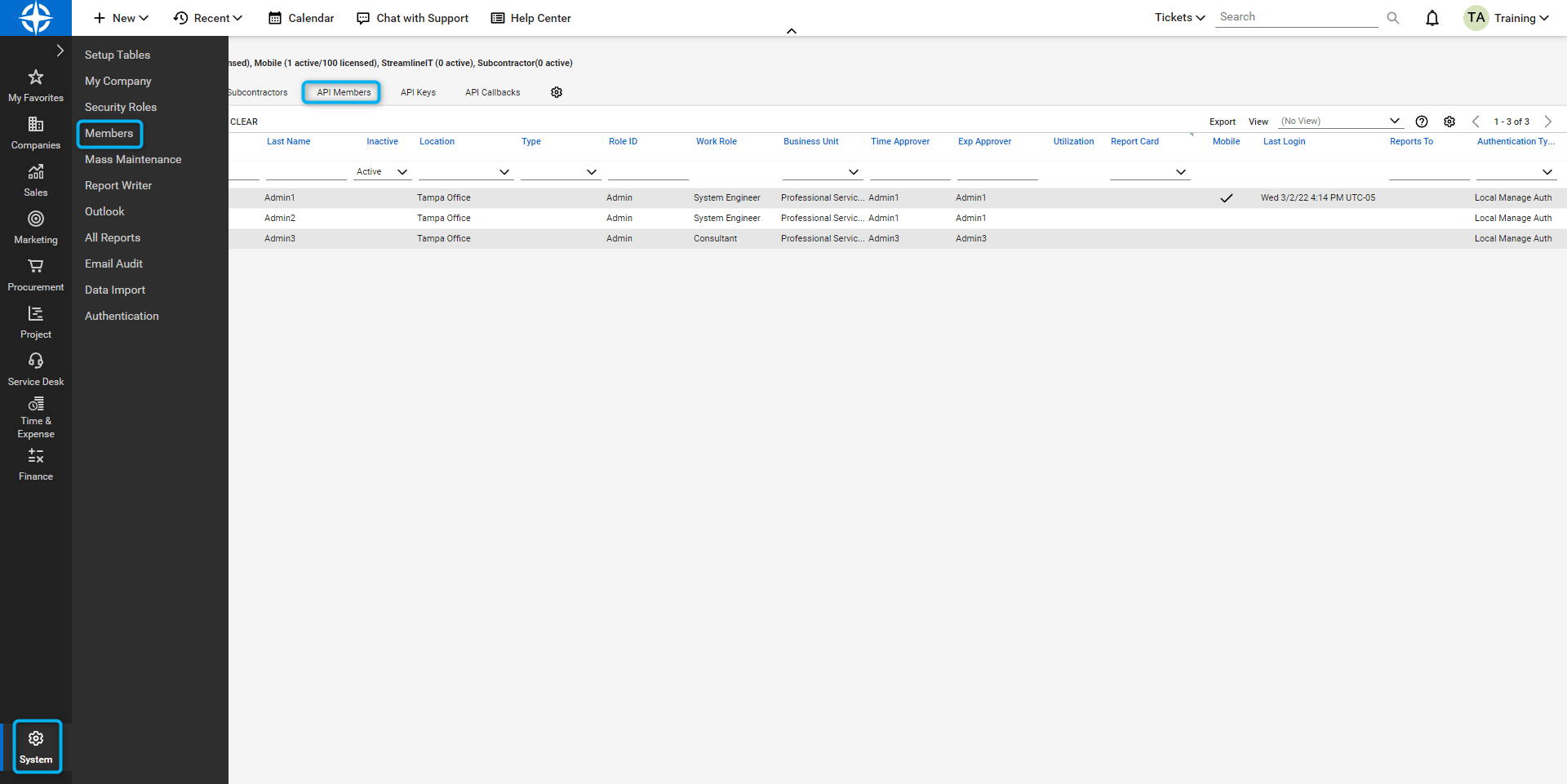
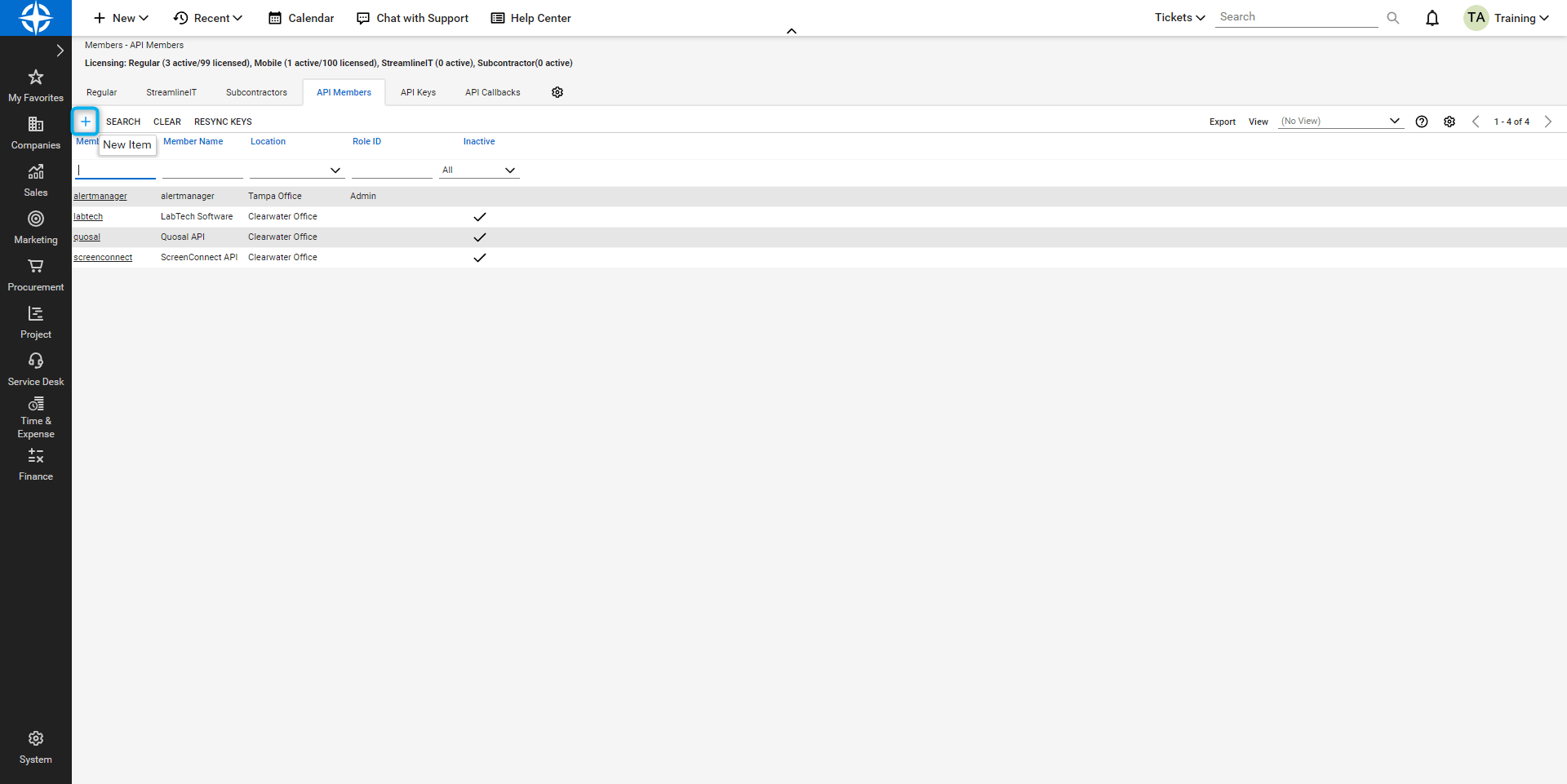
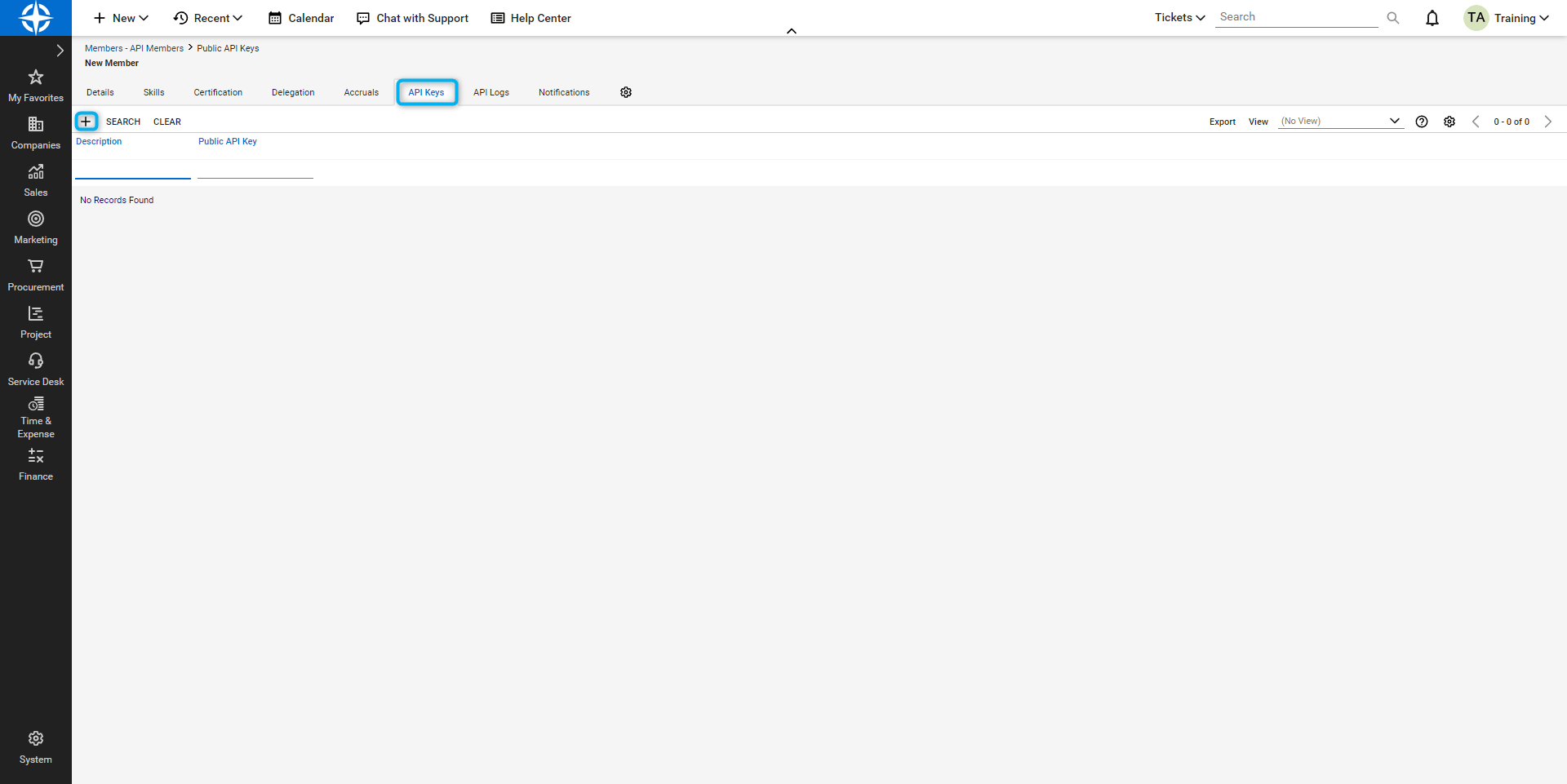
Ensure to copy both now to a document or directly into MSP Process before you save and close in ConnectWise.
The keys will disappear after you click save and close.
After you have saved the Public and Private keys to a clipboard or anywhere else for retrieval, the next step will be to enter this information into the MSP Process admin app. On your Onboarding session, please make sure to have these available. Once instructed by your onboarding specialist, please perform the following tasks: Now login to MSP Process and click on Integrations and click Integrations -> PSA Integrations. Click + to Add PSA and select ConnectWise. Select ConnectWise Enter your PSA Connection Details:ConnectWise Permission Details
Introduction
At MSP Process we believe in only setting the minimum permissions required to leverage our application for your business needs. Please find the outline below along with a more granular review of the permissions.Adding a Security Role for MSP Process
- Login to your ConnectWise Manager account
- Navigate to System -> Security Roles
- Add a new role, name it MSP Process, and give it the permissions listed below:
API Endpoints Used by MSP Process
This is a list of all APIs we get information from or post using the API connections. Please adjust your permissions based on the details below. Please note that some of these API requests are part of other functions of our app and are not needed for End User and SMS utilization. Type | API (resource) | Description GET |/company/companies/count
|
Check is connection is valid
GET
|
/company/companies/statuses
|
Get statuses (company filters)
GET
|
/company/companies/types
|
Get types (company filters)
GET
|
/company/configurations/statuses
|
Get statuses (configuration filters)
GET
|
/company/configurations/types
|
Get types (configuration filters)
GET
|
/company/configurations
|
Get configurations
GET
POST
|
/company/companies
|
Get all companies
GET
|
/company/communicationTypes/info
|
For contact creation
GET
POST
|
/company/contacts
|
For contact creation
GET
|
/company/noteTypes
|
note types
GET
|
/company/contacts/{contactId}/notes
|
contact notes
GET
|
/company/contacts/{contactId}
|
contact
GET
|
/company/contacts/count
|
contacts count
GET
|
/company/contacts/validatePortalCredentials
|
valiadate client portal credentials
POST
|
/company/contacts/requestPassword
|
request reset password
System
Type
|
API (resource)
|
Description
GET
|
/system/members
|
Get resources
GET
|
/system/apiMembers
|
Get API resources
GET
|
/system/departments
|
Get departments
GET
|
/system/audittrail
|
Get audit trial
GET
POST
DELETE
|
/system/callbacks
|
Get system callbacks
Finance
Type
|
API (resource)
|
Description
GET
|
/finance/invoices
|
Get the list of invoices
GET
|
/finance/invoices/{id}
|
Get a specific invoice
Service
Type
|
API (resource)
|
Description
GET
|
/service/tickets/{ticketId}/notes
|
Ticket notes
PATCH
|
/service/tickets/{model.TicketId}/notes/{noteId}
|
Update ticket note
GET
|
/service/tickets/{ticketId}/allnotes
|
Ticket timeline
GET
|
/service/tickets/{ticketId}
|
Tickets
GET
|
/service/tickets/{ticketId}/timeentries
|
Time entries
GET
|
/service/priorities
|
Priorities
GET
POST
PATCH
|
/service/tickets
|
tickets
GET
|
/service/boards
|
boards
GET
|
/service/boards/{boardId}/types
|
types
GET
|
/service/boards/{boardId}/subtypes
|
subtypes
GET
|
/service/boards/{boardId}/items
|
items
GET
|
/service/boards/{boardId}/statuses
|
statuses
GET
|
/service/impacts
|
impacts
GET
|
/service/severities
|
severities
GET
|
/service/locations
|
locations
GET
|
/service/sources
|
sources
GET
|
/finance/agreements
|
agreements
Ticket Notes
Type
|
API (resource)
|
Description
POST
|
/service/ticketNote/{noteId}/markAs
|
toggle note type
Time Entries / Schedule entries
Type
|
API (resource)
|
Description
GET
POST
|
/time/entries
|
time entries
GET
|
/time/entries/{id}
|
time entry
GET
|
/time/workTypes
|
work types
GET
|
/time/workRoles
|
work roles
GET
POST
|
/schedule/entries
|
schedule entries
GET
|
/schedule/entries/{id}
|
schedule entry
GET
|
/schedule/statuses
|
statuses