Overview
You may wish to export your list of contacts from MSP Process so that you can use tools like Microsoft Excel to better understand which of your end-users have provided their cell/mobile numbers, or who has opted-in or opted-out of Contact Update forms. This article will walk you though how to export your contacts; it’s quick and easy!Prerequisites
- You will need to be an Admin-Level user to export contacts.
- You will need to have the option to Store Contacts in MSP Process toggled on in your PSA Integration setup.
- If you need to adjust those settings, please review the PSA Integration setup article for your PSA.
How to Export
- To export your contacts from MSP Process, follow the steps below:
- Log in to MSP Process (https://app.mspprocess.com) as an Admin-level user.
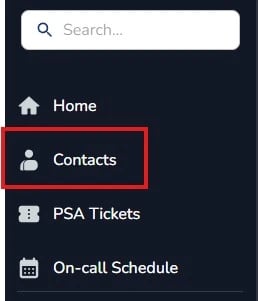
- Navigate to the Contacts from the left-hand menu
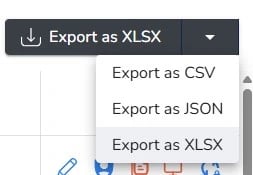
- In the right-hand corner, you will select the Export as CSV option to download your contacts.

Alternate Download Formats
You can export your contact list in three different formats: CSV, JSON, or XLSX. Select the dropdown arrow to choose your desired file format